Guide
How to Decide Between Hiring, Contracting, or Using AI
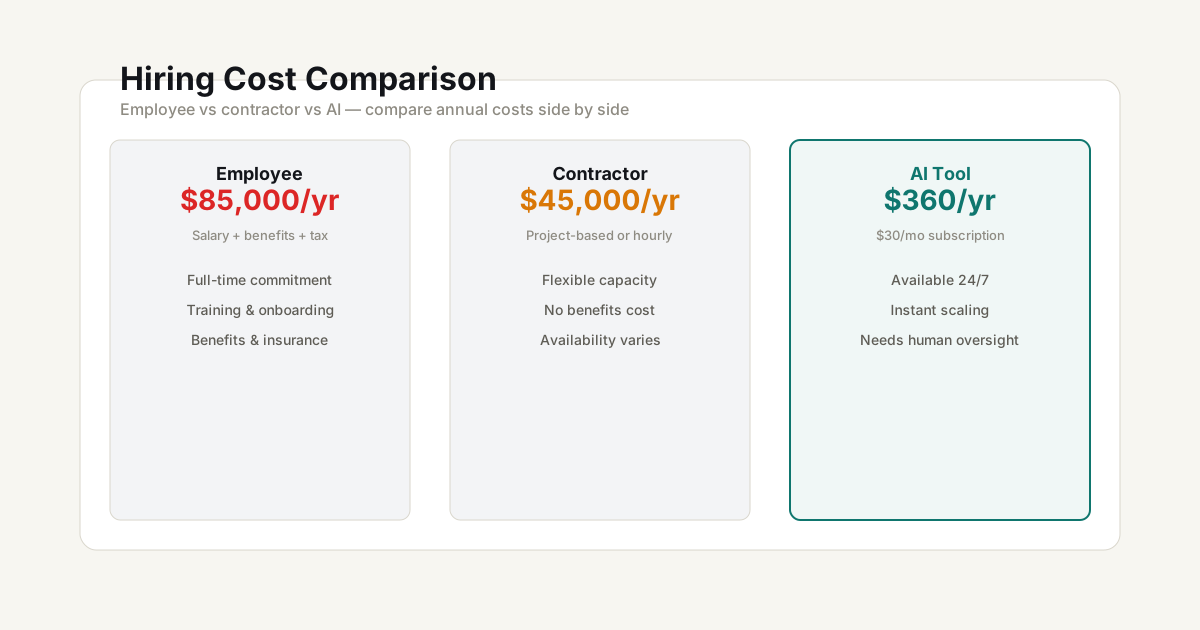
Every solo business owner reaches a point where there’s more work than time. The decision used to be employee vs contractor. Now there’s a third option: AI tools. Here’s how to think about each choice.
The three options at a glance
| Factor | Employee | Contractor | AI tool |
|---|---|---|---|
| Cost | Highest (salary + taxes + benefits) | Medium (hourly or project rate) | Lowest (monthly subscription) |
| Control | Full | Limited to scope | Direct but limited capability |
| Reliability | High (dedicated) | Medium (may juggle clients) | Medium (varies by task) |
| Quality | Consistent with training | Variable but specialised | Improves rapidly, needs oversight |
| Scale | Fixed capacity | Flexible hours | Near-infinite at low marginal cost |
When to hire an employee
An employee makes sense when the work is ongoing, requires deep context, and benefits from your direct management. Common examples:
- A full-time editor for a YouTube channel posting weekly
- A customer support person for a growing SaaS product
- A virtual assistant handling day-to-day operations
The true cost is always higher than the salary. Use the Employee vs Contractor vs AI Cost Calculator to compare the full annual picture including taxes, benefits, and overhead.
When to hire a contractor
Contractors are ideal for specialised, time-boxed work where you need expertise you don’t have:
- A freelance designer for a rebrand project
- A copywriter for a launch campaign
- A developer for a specific feature
You pay for output, not time. No tax overhead, no benefits, no long-term commitment. The trade-off is less availability and less context.
When to use an AI tool
AI tools work best for tasks that are repetitive, well-defined, and have clear success criteria:
- Drafting content and emails
- Research and summarisation
- Image generation and editing
- Basic coding and data analysis
- Scheduling and admin
The key question isn’t “can AI do this task?” — it’s “how much oversight does it need?” If a task needs 80%+ human review after AI does it, you may not be saving much time.
The hybrid approach
Most solo businesses end up with a mix. A common pattern:
- Use AI tools for daily drafting, research, and admin
- Hire contractors for specialised project work
- Consider an employee only when you have enough consistent work to fill 20+ hours a week
Run the numbers: Employee vs Contractor vs AI Cost Calculator and Automation Savings Calculator to compare costs across all three options.
Common mistakes
- Underestimating employee overhead — The salary is only 60-70% of the true cost
- Expecting AI to work without oversight — AI saves 50-80% of time, rarely 100%
- Hiring too early — Automate first, contract second, hire last
- Comparing only hourly rates — Employee cost per hour includes downtime, meetings, and PTO
Frequently Asked Questions
When is hiring an employee actually cheaper than AI?
When the task requires human judgment, relationship building, or creative direction that AI can't replicate. Also when the volume is high enough that an employee's salary is cheaper than per-use AI API costs — typically above 40+ hours/week of the equivalent task.
What tasks should I automate with AI first?
Start with repetitive, rules-based tasks: first drafts of content, data entry, basic research, email categorization. Then move to assistive tasks where AI speeds up but doesn't replace you: copy editing, code review, design variations. Don't start with client-facing communication.
How do I compare contractor vs AI costs fairly?
Contractors charge $30-150/hour; LLM APIs cost $0.01-0.15 per task. But contractors bring domain expertise, accountability, and context that AI lacks. For specialized work, a contractor's higher hourly rate often saves you from expensive mistakes an AI wouldn't catch.
Planning tools — Use the calculators and frameworks on this site to model scenarios and compare assumptions. Results are estimates, not financial, legal, or tax advice.