Guide
How to Audit and Cut Your Monthly Software Subscriptions
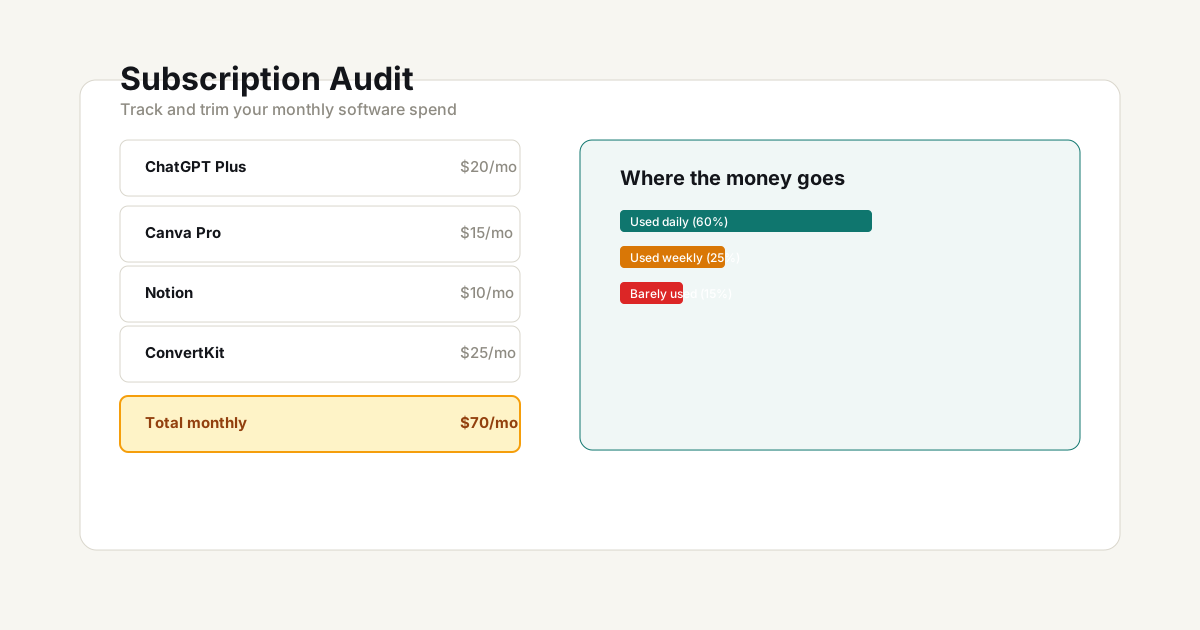
The average solo business or creator pays for 8–12 software subscriptions. At $20–$80 each, that’s $200–$600/month — or $2,400–$7,200/year. A quarterly audit takes 30 minutes and often frees up 15%–40% of that spend.
Step 1: List everything
Before you can cut, you need a complete list. Most people can name 5 subscriptions off the top of their head — and forget the other 5.
Check these places:
- Bank statements — Search for recurring charges over the last 3 months. You’ll find things you forgot
- App Store subscriptions — Both iOS and Google Play have subscription management pages
- Email receipts — Search your inbox for “receipt,” “invoice,” and “subscription”
- PayPal recurring payments — PayPal has a separate automatic payments dashboard
Use the tool: Open the Subscription Cost Audit Tool and add every subscription you find — name, monthly cost, annual cost if paid yearly, category, and usage level. The tool totals everything automatically.
Step 2: Categorize by value, not price
A $15/month tool you use 3 times a week is a better deal than a $5/month tool you never open. Categorize each subscription:
| Category | Criteria | Action |
|---|---|---|
| Core | Used daily or weekly, directly drives revenue or output | Keep. Consider annual billing for discount |
| Useful | Used monthly, saves measurable time | Keep if the time saved covers the cost |
| Rarely used | Quarterly or less, or value is unclear | Cancel or downgrade to free tier |
| Forgotten | You didn’t remember you were paying for it | Cancel immediately |
Step 3: Calculate the real annual cost
Monthly prices feel small. Annual totals are what matter.
A $29/month tool is $348/year. Ten tools averaging $35/month is $4,200/year.
The question isn’t “is $29/month worth it?” — it’s “would I pay $348 cash today for a year of this tool?” The answer for rarely-used subscriptions is almost always no.
Pro tip: After adding everything to the Subscription Cost Audit Tool, scroll to the annual total. That number — especially for “rarely used” items — is usually the motivation to cancel.
Step 4: Look for overlap
The most common waste pattern: paying for two tools that do roughly the same thing.
Common overlaps:
- Two AI writing tools (you probably only need one)
- Multiple design tools with overlapping features
- Both a project management tool and a lightweight to-do app
- A paid analytics tool plus Google Analytics (which is free)
For each overlap, ask: “If I had to pick one, which would I keep?” Cancel the other.
Step 5: Downgrade before canceling
Before canceling a “useful but not core” subscription, check if there’s a cheaper tier. Many tools offer:
- Free tier with basic functionality
- Annual billing at 15%–25% less than monthly
- Freelancer or solo plan below the standard “team” plan
A downgrade from $39/month to $12/month saves $324/year while keeping access to the essential features.
Step 6: Apply the AI tool ROI test
For every AI or productivity tool you’re keeping, run it through the ROI check:
How many hours does it save per week? Multiply by your hourly rate. Compare to the monthly cost.
Use the AI Tool ROI Calculator for a precise number. If a $40/month AI tool saves you 30 minutes per week at $75/hour, that’s $150/month in saved time — worth it. If it saves you 10 minutes per month, it’s not.
The quarterly audit checklist
- Pull the full subscription list (bank, App Store, PayPal)
- Enter everything into the Subscription Cost Audit Tool
- Tag each as Core / Useful / Rarely used / Forgotten
- Cancel Forgotten items immediately
- For overlaps, keep the best one and cancel the rest
- For Rarely used items, cancel or downgrade to free tier
- For Core items, switch to annual billing if the discount is worth it
- Run the remaining AI tools through the AI Tool ROI Calculator
- Set a calendar reminder to repeat in 3 months
What a realistic audit saves
Based on typical creator/solo business subscription stacks:
| Scenario | Before audit | After audit | Annual savings |
|---|---|---|---|
| Light (6 subscriptions) | $180/month | $135/month | $540/year |
| Average (10 subscriptions) | $350/month | $240/month | $1,320/year |
| Heavy (16 subscriptions) | $620/month | $400/month | $2,640/year |
The savings from one 30-minute audit often pays for a full year of your most valuable tool. Make it a habit.
Frequently Asked Questions
How do I find all my subscriptions?
Check your bank and credit card statements for recurring charges, search your email for "receipt" or "subscription", and look at your App Store/Google Play subscriptions list. Most people find 2-3 subscriptions they'd completely forgotten about.
What's the 80/20 rule for SaaS tools?
Track which tools you actually used in the last 30 days. If you haven't opened a tool in a month and it's not seasonal, it's a cancellation candidate. Most creators find that 20% of their tools do 80% of the heavy lifting.
Should I switch to annual billing to save money?
Only for tools you've used consistently for 3+ months. The 15-20% annual discount is real savings, but only if you're confident you'll use the tool all year. For new tools or ones you're unsure about, stay monthly until you've proven the value.
Planning tools — Use the calculators and frameworks on this site to model scenarios and compare assumptions. Results are estimates, not financial, legal, or tax advice.