Guide
How to Tell If an AI Tool Is Worth Paying For
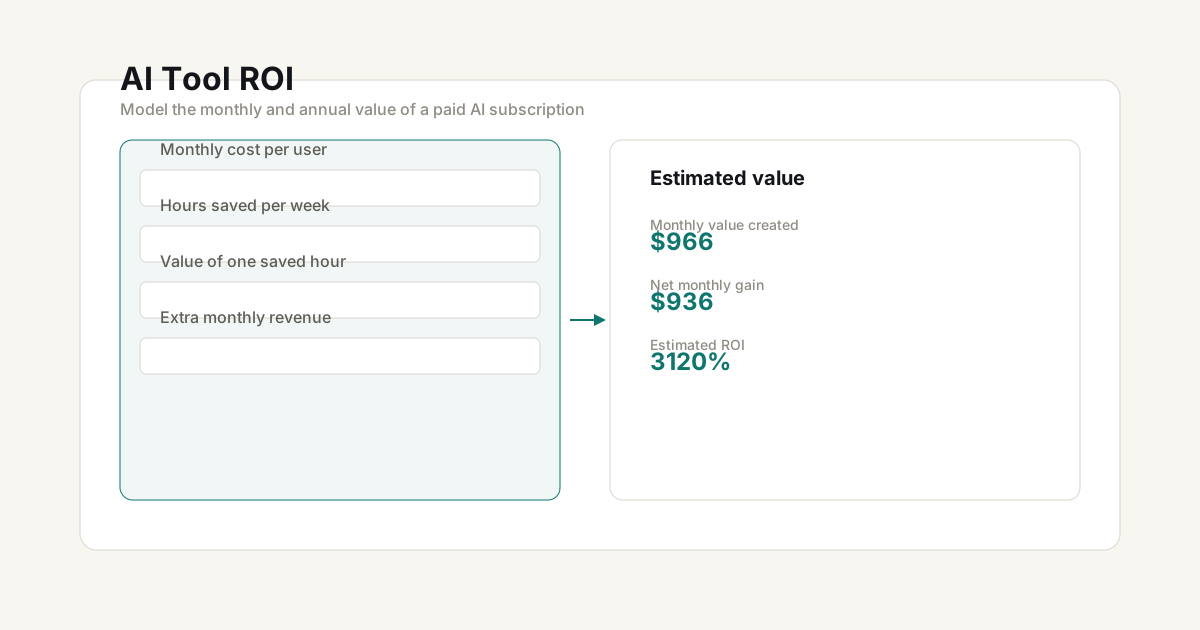
Every week there’s a new AI tool promising to transform your workflow. Some are genuinely worth the subscription — most aren’t. Here’s a framework to decide without guessing.
Why paid AI tools are different from other SaaS
Unlike project management tools or CRMs, AI tools have a direct substitution effect: they replace work you would otherwise do yourself or pay someone else to do. A McKinsey study found that generative AI could automate 60-70% of work activities across most occupations, with knowledge workers seeing the highest productivity gains from AI-assisted tooling. That makes the ROI calculation both more tangible and more personal.
An AI tool is worth paying for when:
- It saves you more billable time than its monthly cost
- It helps you produce work you couldn’t otherwise deliver
- It replaces a contractor or employee cost
The 4-question framework
1. How much time does it actually save?
Track your usage honestly for 2 weeks. Most people overestimate in the first week and settle into realistic usage by the second. Research from RescueTime shows that knowledge workers spend only about 3 hours a day on productive, focused work — so the real test is whether the AI tool increases that window, not just fills it.
Ask yourself:
- How many hours per week does this tool save me? (Be specific — “writing first drafts” is measurable; “helps me think” is not)
- Does the time saved compound across projects, or is it a one-time efficiency?
- Am I actually using the full feature set, or just 20% of it?
2. What is your hour worth?
Calculate your effective hourly rate:
Annual income target ÷ (billable hours per week × 48 working weeks)
If you earn $80,000/year and bill 25 hours/week, your effective rate is about $67/hour. Use your Freelance Hourly Rate Calculator if you want a more precise number.
3. Does it generate additional revenue?
Some AI tools don’t just save time — they enable revenue. Examples:
- An AI writing tool that lets you publish more content and grow your audience
- An AI design tool that lets you take on projects you’d otherwise outsource
- An AI code assistant that helps you ship features faster
If a $50/month tool helps you close one $500 project, that’s a 10x return.
4. What’s the annual cost in context?
$30/month seems cheap until you multiply it across 10 tools. A $30/month AI tool costs $360/year. Ten tools cost $3,600/year.
Audit your entire tool stack using the Subscription Cost Audit Tool to see the full picture.
A framework for the calculation
| Factor | How to value it |
|---|---|
| Hours saved per week | × your effective hourly rate |
| Revenue generated per month | Add directly |
| Cost of tool | Subtract monthly subscription |
| Cost of alternatives | Compare against doing it yourself or hiring help |
→ Use the AI Tool ROI Calculator to compare cost, time savings, and revenue impact side by side.
When should you definitely skip?
- Novelty tools — If you’re paying to “see what it can do” rather than solving an identified problem, wait 3 months
- Duplicate capabilities — If you already have a tool that does 80% of what this one does, the marginal gain is rarely worth it. The Pareto principle holds here: 80% of the value comes from 20% of the features.
- Tools whose value depends on behavior change — The best AI tool is useless if you don’t actually integrate it into your workflow
Frequently Asked Questions
How much time does an AI tool need to save to be worth it?
A simple rule: if the tool saves you more billable time per month than its cost, it's worth it. For example, if your effective hourly rate is $50 and the tool costs $20/month, it only needs to save you 30 minutes per week to break even. Use the AI Tool ROI Calculator to run your own numbers.
Should I pay for multiple AI tools at once?
Audit your entire tool stack quarterly. Most freelancers underestimate their total subscription costs. Use the Subscription Cost Audit Tool to see the full picture before adding new tools — many people find they're paying $100+/month for tools they barely use.
What's the difference between ChatGPT Free and Plus for freelancers?
ChatGPT Free has usage caps on GPT-4o, while Plus gives you full access with file uploads, web browsing, and DALL·E image generation. If you use AI daily for client work, the $20/month Plus tier usually pays for itself within the first week.
When should I skip buying an AI tool?
Skip tools that you're only paying for to see what it can do rather than solving an identified problem. Also skip if you already have a tool that does 80% of what the new one does — the marginal gain is rarely worth the monthly cost.
Planning tools — Use the calculators and frameworks on this site to model scenarios and compare assumptions. Results are estimates, not financial, legal, or tax advice.